OrgCharts for Excel November 2026 update
Build, edit and style org charts faster with improved data management, chart styling and data checks.
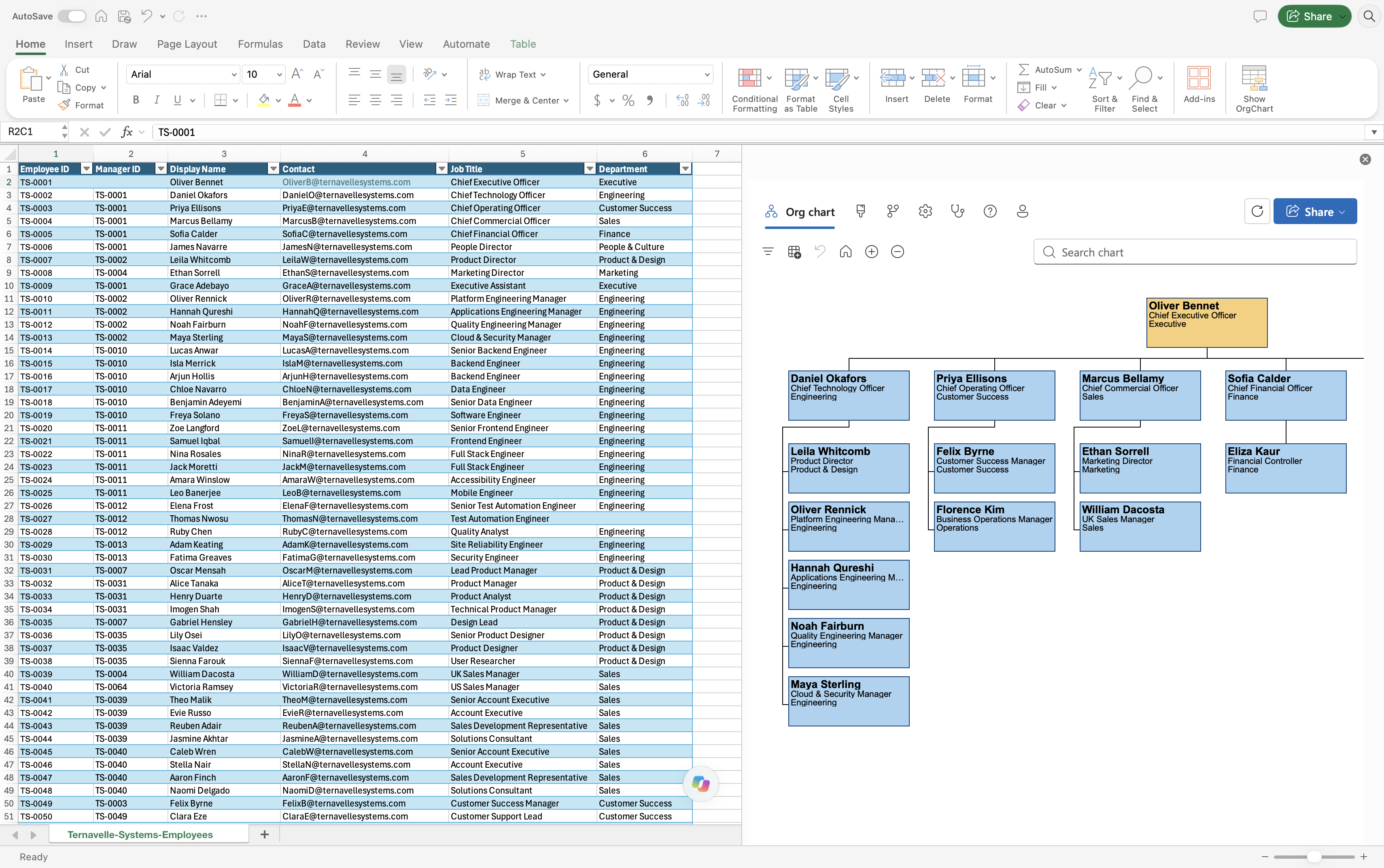
What’s new in OrgCharts for Excel
Create clearer org charts with less manual work
This update makes it easier to create, navigate and maintain org charts. Manage employee data, customize your chart’s appearance and identify missing information without leaving Excel.
Spend less time on manual updates and create clearer charts from more reliable employee data.
Manage employee data more easily
You can now view and edit a person’s complete employee record by selecting the information icon on their chart box. With a chart box selected, you can also add or remove direct reports.
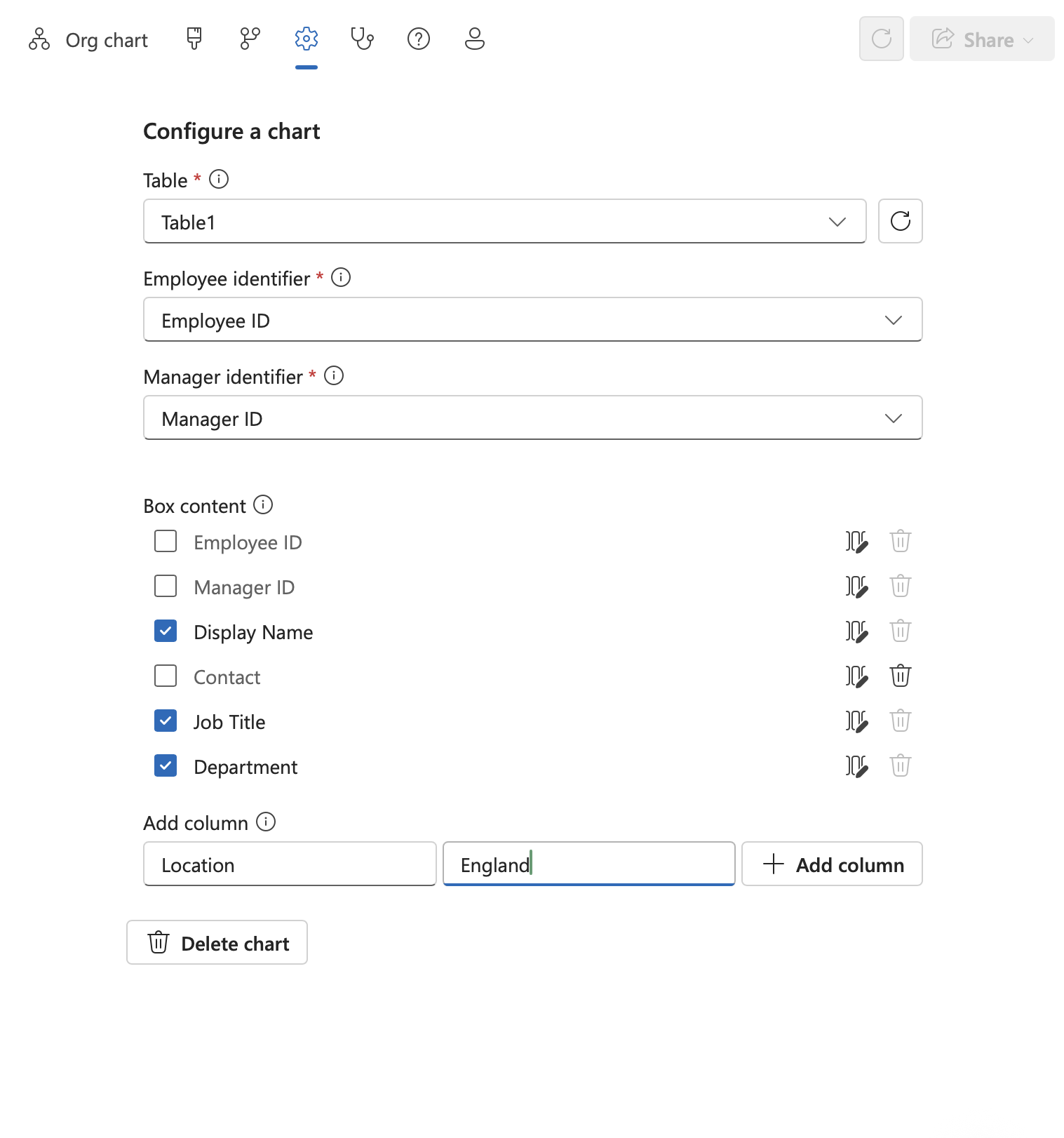
Need to update the structure of your employee data table? Add new columns, rename existing columns or remove columns you no longer need directly within OrgCharts for Excel.
These tools help keep your chart current as people join, move roles or leave, and as your data requirements change.
Customize your chart
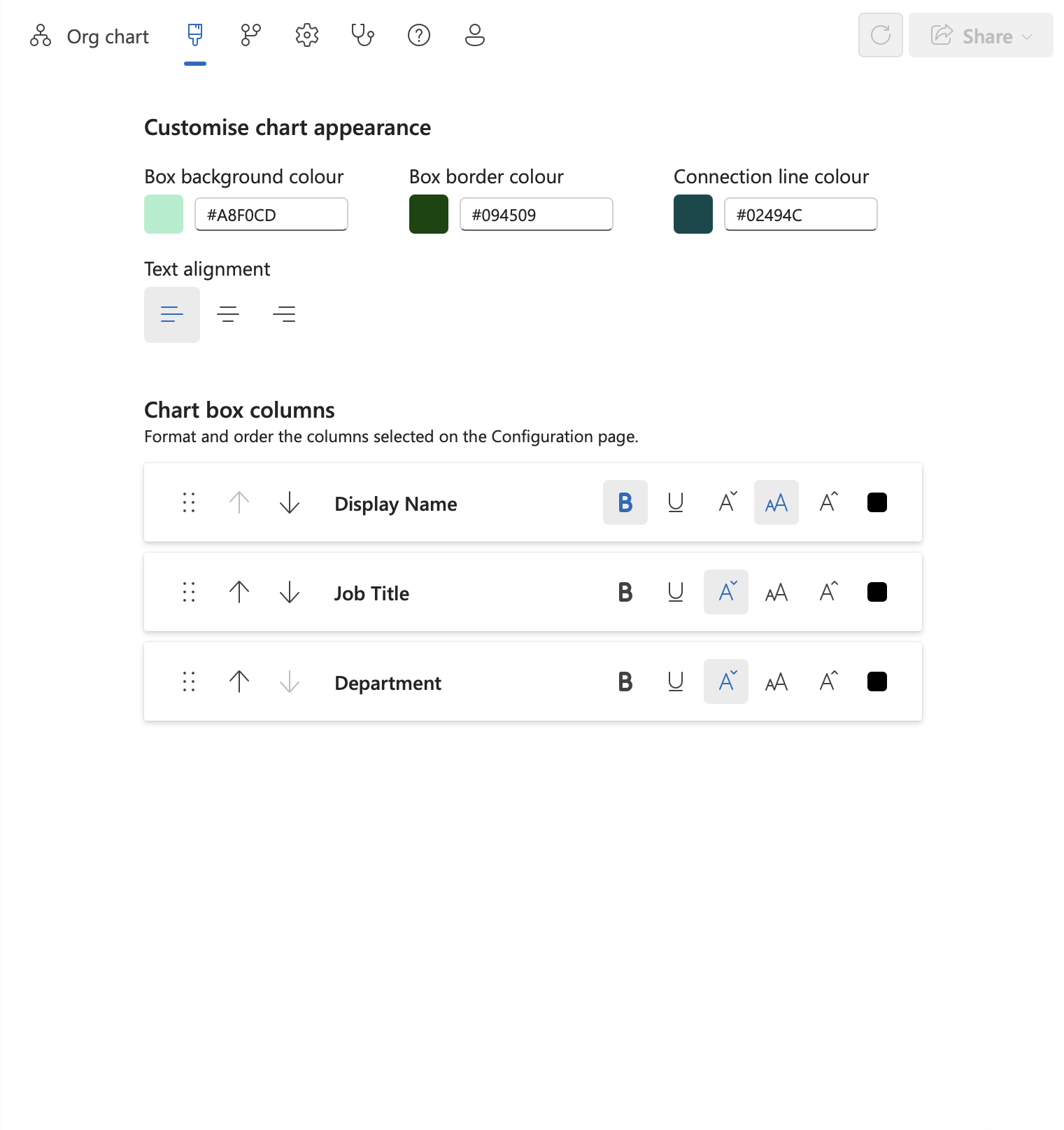
The new Appearance page gives you more control over how your organization chart looks.
- Choose background, border and connection line colors
- Align text within chart boxes to the left, center or right
- Reorder the information displayed inside chart boxes
Highlight chart boxes with conditional rules
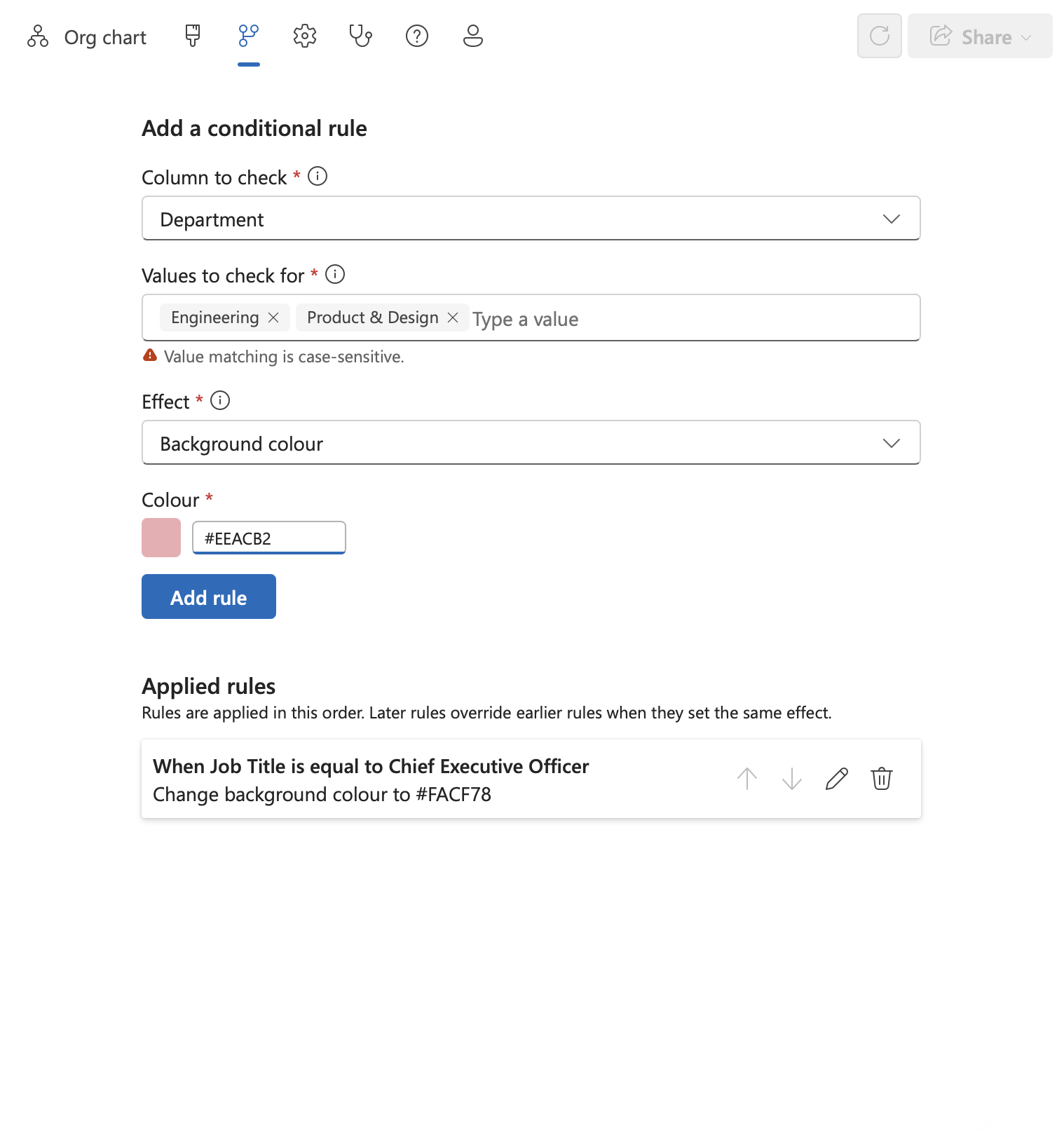
Use employee data to format chart boxes automatically. Highlight departments, distinguish locations with different colors or draw attention to specific job titles.
- Create rules based on values in your table, such as department, location or job title
- Change the background or border color of matching chart boxes
- Fade less relevant boxes to focus attention on a particular group
- Order rules to control how styles are applied
Because rules use the information in your table, styling stays consistent as your organization changes and grows.
Find and correct missing information
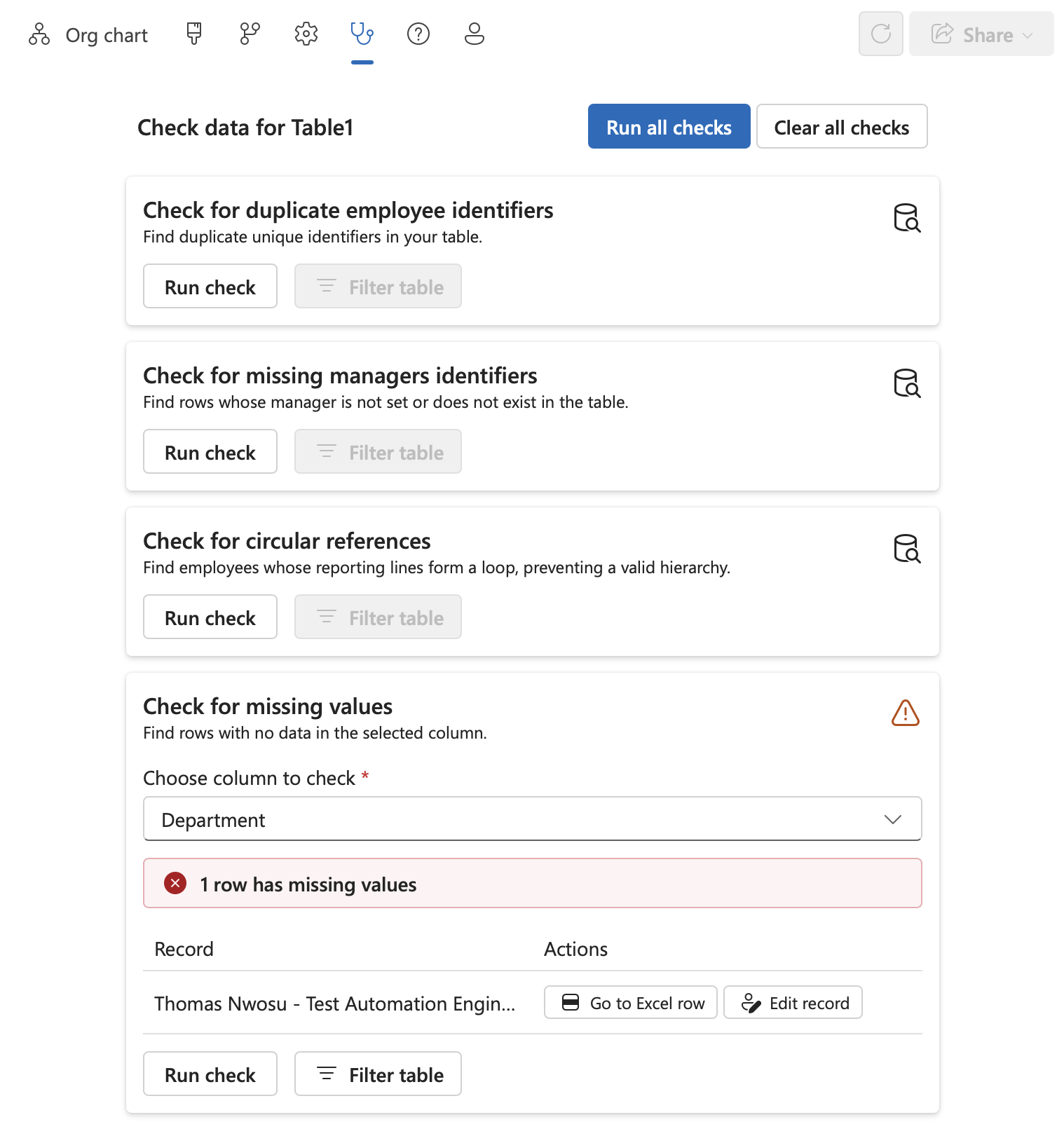
The expanded Data Health page helps you find and fix source-data problems before they affect your organization chart.
You can now check any column in your table for blank values. When missing information is found, you can:
- Filter the Excel table to show affected rows
- Jump directly to the relevant Excel row
- Open and edit the employee’s record within OrgCharts for Excel
You can also run existing checks for duplicate employee identifiers, missing manager identifiers and circular reporting relationships.
Get help when you need it
Built-in help guides make it easier for new and existing users to get the most from OrgCharts for Excel. Learn how to prepare an Excel file, create and configure a chart, navigate larger structures and style chart boxes.
Try the latest OrgCharts for Excel features
Explore the latest chart-building, styling and data-management tools with a fully featured 7-day trial. No credit card required.